
Code School for Xcode & iOS2.1.1 - App Store
You'll be able to see results in few seconds.
Publisher Description
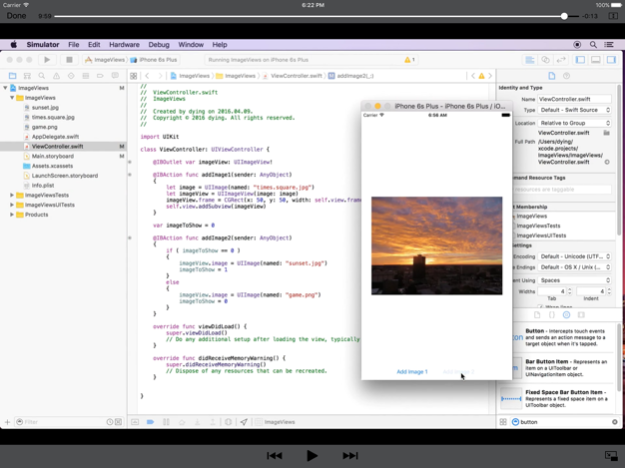

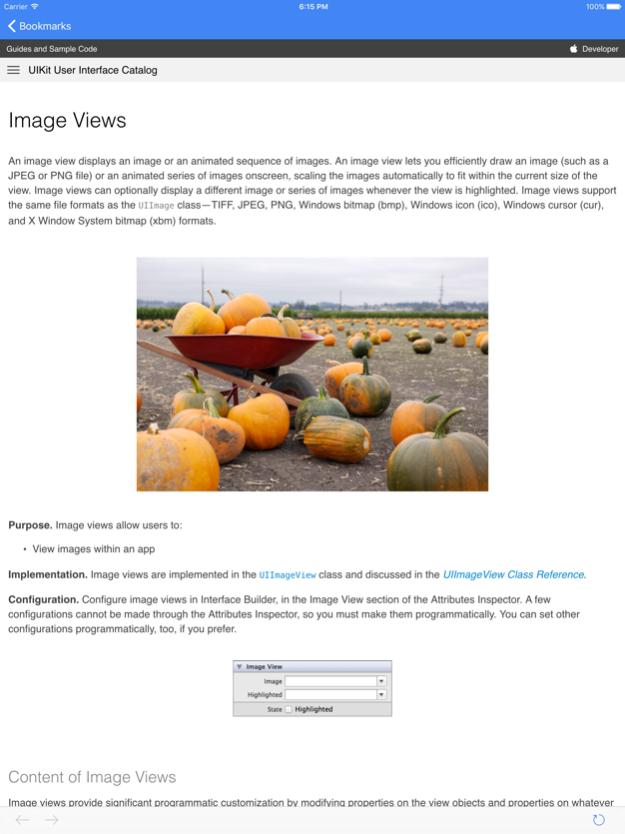
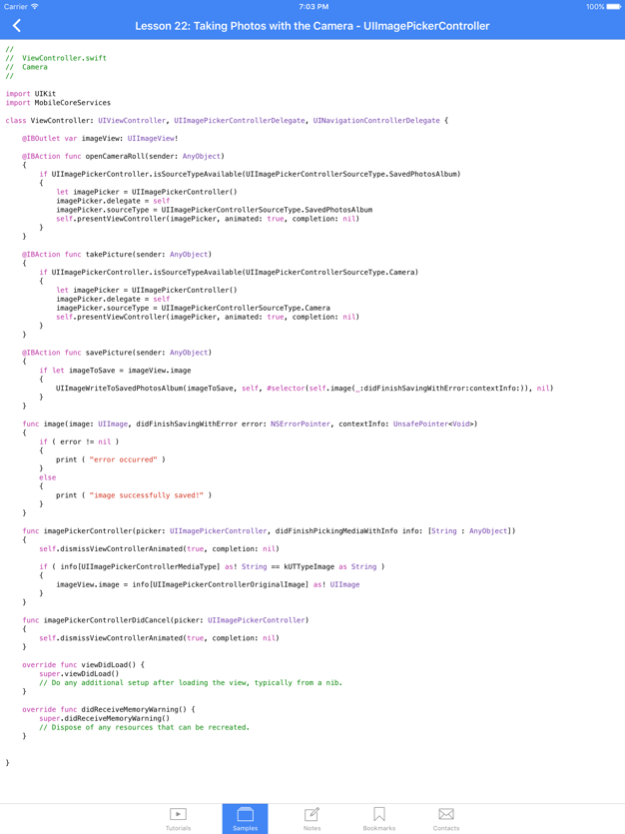
** COMPLETE IOS APP DEVELOPMENT COURSE
** Learn Xcode and How to Make Apps for iPhone and iPad Using Swift
** Includes Step-by-Step Video Tutorials, Sample Codes, and Important Reference Information
The Code School for Xcode app includes complete video tutorials that teach you how to start building your first iPhone/iPad app using Xcode and Swift programming from start to finish! All the video tutorials are made for beginners; they demonstrate how to build different kinds of apps and utilize different user interface elements. Our native English teacher will also explain the code examples in detail. All the examples are guaranteed to be simple to follow and easy to learn!
Some of the Topics Included in the Video Tutorials:
+ Xcode Overview: At a Glance
+ Creating Your First App: Hello World!
+ Learning to Create a Camera App: Taking Photos with the Camera and Accessing the Photo Library
+ Building Mapkit-Based Apps: Displaying a Map with Your Current Location and Showing Maps in Standard and Satellite Views
+ Learning to Share on Twitter and Facebook: Sharing Images, Text, and URLs
+ Creating a Web Browser App
+ Detecting Gestures, Screen Touches, and 3D Touches
+ Playing Local Video and Audio Files in your App
+ Playing Remote Videos from a Server
+ Audio Recording and Playback
+ Playing Videos on Apple Watch
+ Alerting the User and Showing Popup Messages
+ Displaying PDF Files in your App
+ Making a Simple Menu Bar App for macOS
+ Creating Subviews and Simple Animations
+ Adding Images to your App
+ Creating and Populating a Table View
+ Creating a Master-Detail Interface
+ Using a Webview to Display a Website
+ Creating a Tab Bar App
+ Creating a Dictionary to Manage Data
+ Using a .plist File to Store Data
+ Sharing via Email or Saving Images to Your Device
+++ PLUS: Get free updates as we add new video tutorials!! +++
Unique Features Provided:
* Video Tutorials - They are made in Full HD resolution and feature native English speakers. These step-by-step tutorials are 5-15 minutes on average, and you can view them in full screen and offline. They support the latest version of Xcode and iOS. The video will automatically resume the playback position from the stopping time of your last session.
* Sample Codes - All the codes you learned during the tutorials are downloadable, so you can practice them yourself.
* Bookmarks - This section contains all the references and useful information for each tutorial you may be interested in.
* Notes - You may need to jot down notes when learning. This section will store your notes for each tutorial respectively.
If you want to become an individual developer and submit your own apps to the iOS App Store, download this course today!!
Sep 27, 2018
Version 2.1.1
* Fixed some broken URLs.
About Code School for Xcode & iOS
The company that develops Code School for Xcode & iOS is Best App Limited. The latest version released by its developer is 2.1.1.
To install Code School for Xcode & iOS on your iOS device, just click the green Continue To App button above to start the installation process. The app is listed on our website since 2018-09-27 and was downloaded 0 times. We have already checked if the download link is safe, however for your own protection we recommend that you scan the downloaded app with your antivirus. Your antivirus may detect the Code School for Xcode & iOS as malware if the download link is broken.
How to install Code School for Xcode & iOS on your iOS device:
- Click on the Continue To App button on our website. This will redirect you to the App Store.
- Once the Code School for Xcode & iOS is shown in the iTunes listing of your iOS device, you can start its download and installation. Tap on the GET button to the right of the app to start downloading it.
- If you are not logged-in the iOS appstore app, you'll be prompted for your your Apple ID and/or password.
- After Code School for Xcode & iOS is downloaded, you'll see an INSTALL button to the right. Tap on it to start the actual installation of the iOS app.
- Once installation is finished you can tap on the OPEN button to start it. Its icon will also be added to your device home screen.
Program Details
System requirements
Download information
Pricing
Version History
version 2.1.1
posted on 2018-09-27
Sep 27, 2018
Version 2.1.1
* Fixed some broken URLs.
version 1.1.1
posted on 2016-11-02
Disclaimer
Official App Store Link
We do not host Code School for Xcode & iOS on our servers. We did not scan it for viruses, adware, spyware or other type of malware. This app is hosted by Apple and passed their terms and conditions to be listed there. We recommend caution when installing it.
The App Store link for Code School for Xcode & iOS is provided to you by apps112.com without any warranties, representations or guarantees of any kind, so access it at your own risk.
If you have questions regarding this particular app contact the publisher directly. For questions about the functionalities of apps112.com contact us.
